
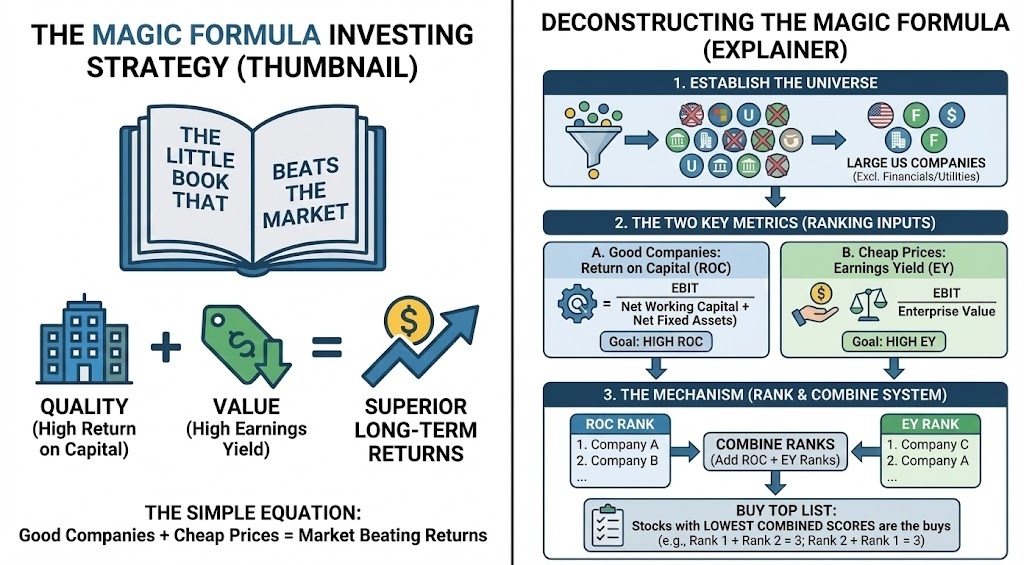
Learn how to apply Joel Greenblatt’s legendary ‘Magic Formula’ investing strategy without paying for expensive software.
I’ll break down the core math behind buying good companies at cheap prices (High Return on Capital + High Earnings Yield) and give you a step-by-step tutorial on setting up a custom scan in Finviz.
Watch to see exactly how to filter the market to find the best potential value stocks for your portfolio right now:
Specifically, follow these four steps:
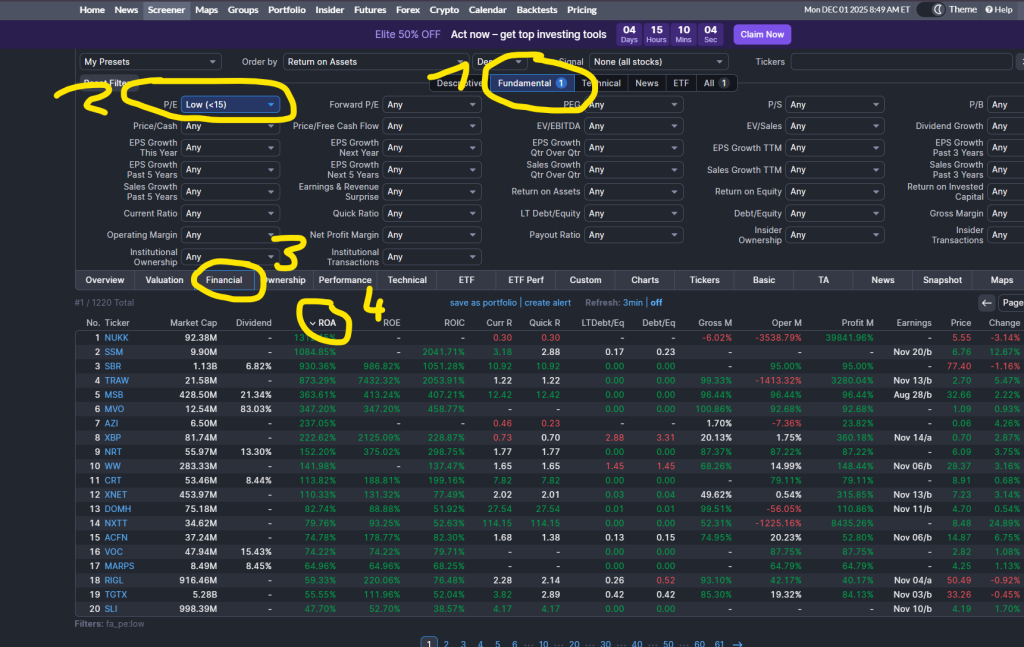
- Go to
Finviz > Screenerand select theFundamentaltab - Choose
P/E > Low (<15) - Click
FinancialTab - Sort by
ROA(=Return on Assets) orROE(=Return on Equity) by clicking on the respective column.