To convert a Pandas DataFrame into a CSV string rather than a CSV file, just use the pd.to_csv() function without any filename or path argument. The function returns a CSV string you can use for further processing in your Python script.
Here’s an example:
# Convert DataFrame to CSV
csv_string = df.to_csv()

# Print the CSV string
print(csv_string)
'''
,Name,Age,Income
0,Alice,23,99000
1,Bob,24,88000
2,Carl,19,21000
3,Dave,33,129000
'''
You can modify this output by passing the index=False argument:
# Convert DataFrame to CSV (no index)
csv_string = df.to_csv(index=False)

# Print the CSV string
print(csv_string)
'''
Name,Age,Income
Alice,23,99000
Bob,24,88000
Carl,19,21000
Dave,33,129000
'''
Now, you can do some advanced string/text processing such as replacing the ',' commas with '\t' tabular characters as CSV delimitters:
# Replace commas with tabs and overwrite variable
csv_string = csv_string.replace(',', '\t')

# Print the modified CSV string
print(csv_string)
'''
Name	Age	Income
Alice	23	99000
Bob	24	88000
Carl	19	21000
Dave	33	129000
'''
This uses the string.replace() method to create a tab-separated values (TSV) instead of a comma-separated values (CSV) string.
🌍 Related Tutorial: How to Export Pandas DataFrame to CSV (+Example)
Suboptimal Alternative 1: Convert to Temporary CSV
Now that you know the optimal solution to convert a pandas DataFrame to a CSV string, let me give you the not-so-optimal way: write the string to a temporary file and read this file right away to obtain a CSV string.
df.to_csv('dummy.csv')
csv_string = open('dummy.csv').read()
I know, I know… 😒
Suboptimal Alternative 2: Use df.to_string() Method
The df.to_string() method creates a string representation of the DataFrame that can be assigned to a string variable.
# DataFrame to String
csv_string = df.to_string()
print(csv_string)
'''
    Name  Age  Income
0  Alice   23   99000
1    Bob   24   88000
2   Carl   19   21000
3   Dave   33  129000
'''
Now, you can do some post-processing on the string representation to obtain a CSV string from the DataFrame:
import re
import pandas as pd


df = pd.DataFrame({'Name': ['Alice', 'Bob', 'Carl', 'Dave'],
                   'Age': [23, 24, 19, 33],
                   'Income': [99000, 88000, 21000, 129000]})

print(df.to_string(index=False, justify='left'))
csv_string = df.to_string(index=False)
csv_string = re.sub('^\s+', '', csv_string, flags=re.MULTILINE)
csv_string = re.sub('[ ]+', ',', csv_string)

print(csv_string)
'''
Name,Age,Income
Alice,23,99000
Bob,24,88000
Carl,19,21000
Dave,33,129000
'''
I don’t even want to start explaining it here because the whole approach screams: WRONG! #&%$
But if you do want to learn Regular Expressions, who am I to hold you back? Here’s the article for you:
🌍 Recommended Tutorial: Regex Superpower
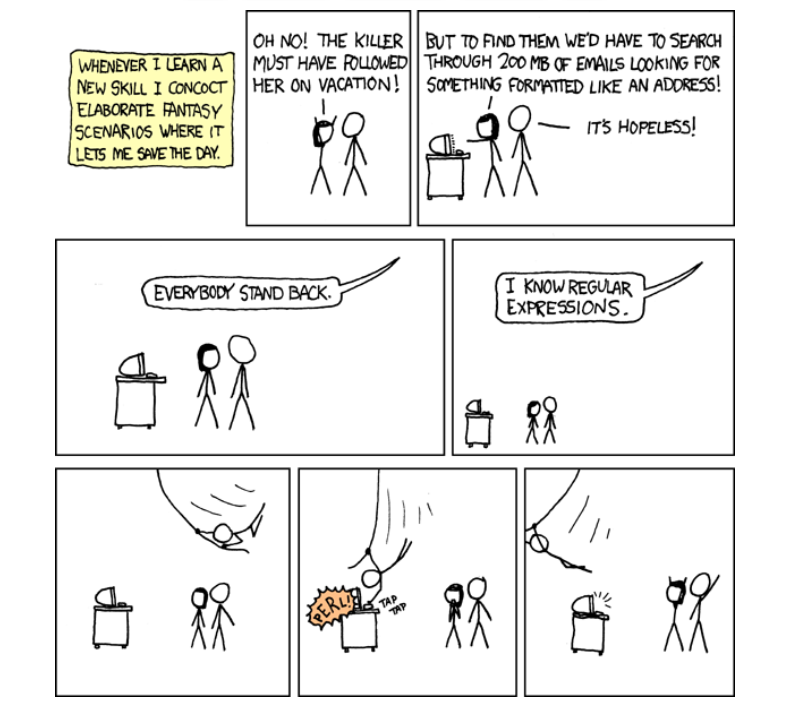
Regex Humor